Take the full casino and sportsbook wherever you go. With the 1go app, live games, bets, and withdrawals are all in one place — fast and secure.
Whatever phone you use, the 1go app is ready for you.
Install APK directly
Easy Installation on iPhone and iPad
Not just games — the entire betting experience is now in your hands.
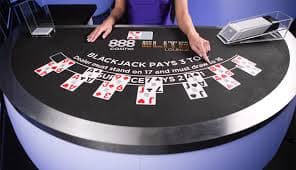
Baccarat, roulette, blackjack with real dealers — all Live Casino games run flawlessly right in the app.
Place live and pre-match bets on cricket, football, tennis, and hundreds of other sports, anytime.
Slots, fishing games, poker — browse 500+ games with ease, all from within the app.
Deposit via Mobile Banking, Nagad, or Rocket in just 30 seconds. Winnings are withdrawn in 2–10 minutes.
Bonus offers, match kick-off times, bet results — all updates delivered straight to your phone.
Log in securely using fingerprint or Face ID. Every session is SSL encrypted.

Even without Google Play Store, installing via APK is straightforward. Just follow the steps below.
Visit the 1go download page and click the "Download Android APK" button.
Go to Settings → Security → enable "Unknown Sources" on your phone (or tap Allow on the popup when downloading).
Once the download is complete, open the APK file from your file manager and tap Install.
Once installed, open the app. New users can register, while existing users can log in directly.
Make a deposit, claim your bonus, and bet on your favorite game or match — right now.
IPhone and iPad users can install the 1go app just as easily.
Visit the 1go download page on your iPhone using Safari. Chrome may not work.
Tap the "Download iOS App" link. A confirmation popup will appear.
Go to Settings → General → VPN & Device Management and trust the 1go profile.
Once trusted, the app will appear on your home screen. Tap to open it.
Log in with Face ID or your password and start using all features.
Smartphone usage in Bangladesh keeps growing, and so does the appetite for mobile gaming. 1go recognized this early on. That's why they built more than just a website — they created a full-featured mobile app that feels completely unrestricted. Everything is smooth, fast, and easy on the eyes.
Many platforms simply wrap their website inside an app shell. 1go didn't take that shortcut. Their Android and iOS apps are natively built, meaning they make full use of the phone's hardware. As a result, streaming HD video in Live Casino won't overheat your phone, and battery life holds up better too.
A cricket match is on and you're out — but that's no reason to miss a bet. The live betting section of the 1go app updates odds in real time, after every ball or every goal. The interface is simple enough to place a bet before the next over's result is in. That speed is the biggest advantage of the mobile app.
Tips: Keep push notifications turned on in the app. You'll be instantly notified when live betting opens for a match or when a special bonus offer becomes available.
Internet speeds aren't always reliable across Bangladesh. The 1go app includes a data saver mode that automatically adjusts video quality based on your network. Live Casino runs smoothly even on 3G or 4G, without burning through your data. For anyone on a limited mobile data plan, this is a real advantage.
The 1go app uses two-factor authentication at login. You can sign in quickly and securely with fingerprint or Face ID. Every transaction is protected with SSL encryption. The app will never ask for your bank or mobile banking password — only your 1go account credentials are needed.
The entire 1go app interface is in Bengali. Menus, buttons, notifications — everything is readable in Bengali. Live chat support inside the app is also available in Bengali. This is a real convenience for users in Bangladesh, so not knowing English is never a barrier.

See a quick side-by-side comparison of the 1go app vs. mobile browser.
| Features | 1go App | Mobile Browser |
|---|---|---|
| Loading Speed | ✔ Much Faster | ✘ Comparatively Slower |
| Push Notifications | ✔ Supported | ✘ Not Supported |
| Biometric Login | ✔ Fingerprint / Face ID | ✘ Not Supported |
| Data Saver Mode | ✔ Yes | ✘ No |
| Offline Caching | ✔ Fast Load | ✘ Reloads Every Time |
| App-Exclusive Bonuses | ✔ Available | ✘ Not Available |
| Battery Usage | ✔ Optimized | ✘ Higher Usage |
1go rolls out regular app updates. Each update brings new games, performance improvements, and stronger security. Android users can enable auto-update from the app settings. iOS users will receive an in-app notification when a new version is available. Some features may not work on older versions, so it's always best to keep the app up to date.
Making a deposit on the 1go app is quick and simple. Tap the "Wallet" icon in the bottom menu. Choose Mobile Banking, Nagad, or Rocket. Enter the amount and confirm with your mobile banking PIN. Your balance is topped up within 30 seconds. Withdrawals follow the same process — winnings arrive in your mobile banking account within 2 to 10 minutes. For more details, visit 1go's Withdraw View page.
Whether you're having trouble installing the app or run into a technical issue while playing, 1go's support team is always on hand. There's a live chat icon right inside the app — send a message in Bengali and you'll get a response within 30 seconds. The support team is online 24 hours a day, 7 days a week.
Please note: Only download the 1go app from the official download page. Third-party sites carry the risk of installing counterfeit or malicious software.
1go is committed to responsible gaming. The app includes daily limits, weekly limits, and a self-exclusion option. If you feel your betting is getting out of control, use these tools. Online gaming is for entertainment — keep it that way. For more information, Responsible Gaming Read the page.
Frequently asked questions from our users.